
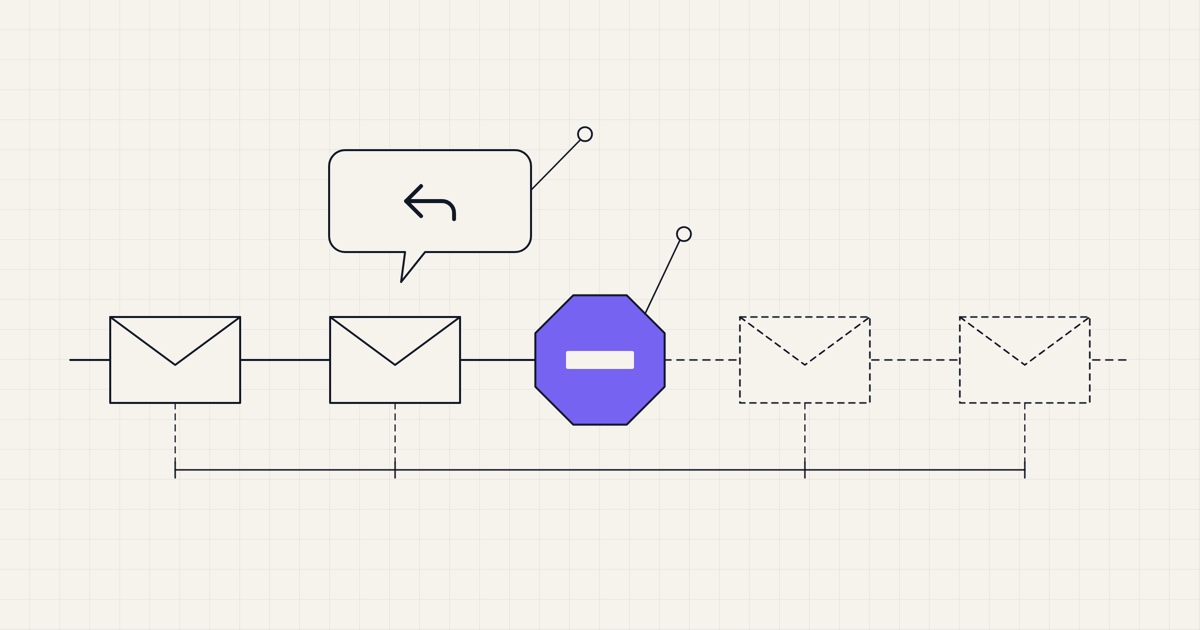
Since Notifuse 33, an automation can stop for a contact as soon as they reply to one of its emails. Turn on Exit on reply on the automation and let Mailgun or Amazon SES forward replies back to Notifuse. When a reply comes in, the rest of the sequence is cancelled for that contact, including an email already waiting in the queue.
It helps most with sequences written to sound like a person. If a prospect answers your second email, they shouldn't get the third one, the one that opens with "just following up". Below is how a reply finds its way back to the right journey, what to set up at each provider, and what the feature doesn't cover yet.
When to stop
In a founder's welcome series, the first email says "hit reply and tell me what you're building". When someone does, the day-3 email asking whether they had a chance to look around should not go out.
A B2B follow-up sequence sends four emails over two weeks. If the prospect answers the first one with "let's talk Thursday", the conversation moves to your inbox and the three emails still scheduled are noise.
A trial nurture sends a tip every few days during the trial. A user who writes back with a question is now talking to you, and a scheduled tip landing next to your answer looks careless.
In each case the person has left the automation for a conversation, and Exit on reply lets the automation notice.
How it works
When an automation sends an email through Mailgun or SES, Notifuse records its
Message-ID, the identifier every email carries in its headers. SES replaces that ID with its own, so for SES Notifuse records the one SES returns.When the contact hits Reply, their mail client adds
In-Reply-ToandReferencesheaders that point to that ID, and sends the reply to your domain.Your domain's MX records deliver the reply to Mailgun or SES. The provider forwards it to the inbound endpoint of your Notifuse instance, through a Mailgun route or through an SES receipt rule that publishes to an Amazon SNS topic.
Notifuse drops bounce reports. Out-of-office messages and other auto-replies go on the contact's timeline as
email.auto_replyand never stop a journey. A genuine reply is recorded asemail.replied. Since Notifuse 44, that includes a reply whose subject is only "stop", "unsubscribe", "remove", "remove me" or "opt out": it ends the journey like any other reply, and changes no list subscription.The ID the reply points to tells Notifuse both the contact and the automation that sent the email. If that automation has Exit on reply on, Notifuse ends the contact's journey in it, with the exit reason
replied.
If the next email is already queued, it still doesn't go out: the queue checks the journey just before sending and drops the email if the journey has ended. If the check itself fails, the email waits and is tried again later instead of going out. A reply only ends journeys that started before it arrived, and a reply the provider delivers twice counts once, so a contact who enters the automation again later isn't pushed out by an old reply.
One sequence only
Replies are matched strictly on the email's ID. If a contact is in your trial nurture and in a sales follow-up at the same time and replies to the sales email, only the sales sequence stops and the nurture carries on. A reply that points to no email Notifuse sent is ignored.
Exit on reply is set per automation, in its settings. Automations without it keep running, but the reply still shows in the contact's activity.
With Mailgun
Point your sending domain's MX records at Mailgun, typically
mxa.mailgun.organdmxb.mailgun.org, both at priority 10. Mailgun has no API for DNS, so you do this step by hand.Choose Register webhooks in the menu of the Mailgun integration's card, in Settings → Integrations. Along with the delivery, bounce and complaint webhooks, Notifuse creates a Mailgun route that forwards mail sent to any address at the integration's domain. The route forwards a copy and lets your other Mailgun routes keep running, so an existing inbound setup keeps working.
The integration then says Reply forwarding is set up. Because the route matches the integration's domain, the From or Reply-To address of your sequence emails has to be at that domain.
With Amazon SES
Point your sending domain's MX record at SES, at
inbound-smtp.<region>.amazonaws.comfor your integration's region, with priority 10. SES receives email only in some regions (us-east-1,us-west-2andeu-west-1, for example), and in the others inbound registration reports as unavailable.Choose Register webhooks in the menu of the SES integration's card. Notifuse creates an SNS topic subscribed to your instance over HTTPS, and an SES receipt rule that sends incoming mail to it. The rule goes into your account's active receipt rule set if there is one, and it has no stop action, so a setup such as Amazon WorkMail keeps working. Notifuse creates and activates a
notifuse-inboundrule set only when no rule set is active.
The receipt rule covers only your verified identities, and registration is refused if you have none. It also needs a few IAM permissions beyond sending, which the SES integration page lists. Notifuse checks the signature of each SNS notification and accepts only those from the topic it created, so if you wire SES inbound by hand, set your topic's ARN in the integration's inbound_topic_arn setting, or every reply is rejected.
MX records
MX records decide where every email sent to a domain goes, so changing them affects more than replies. If your team reads its email at that domain in Google Workspace or Microsoft 365, pointing the MX at Mailgun or SES moves their inboxes too. Send your sequences from a domain set aside for sending, such as a subdomain, and leave the domain your mailboxes live on alone.
Notifuse reads replies but doesn't pass them on. It keeps the sender, the subject and the threading headers, drops the body, and delivers the reply to nobody. Make sure replies also reach a person, with a Mailgun route of your own that forwards them to an inbox, or with the SES receipt rules you already use, which keep running next to Notifuse's. A reply that stops the sequence and then lands nowhere is worse than a follow-up.
No re-entry
An automation set to trigger Once per contact enrolls a contact only the first time the trigger event occurs, so a prospect whose sequence ended on a reply doesn't enter it again.
Not yet
Only two providers, Mailgun and Amazon SES, can feed replies today. Replies to emails sent through Postmark, SendGrid, SparkPost, Mailjet or SMTP aren't matched, and a workspace with neither of the two can't turn Exit on reply on.
Notifuse records the ID of automation emails only, not of broadcasts or transactional emails, so replies to those aren't matched or recorded.
Replies need their threading headers. Notifuse matches only on
In-Reply-ToandReferences, and ignores a message without them, such as a new email written to your address instead of a reply.Auto-replies are recognized by their headers. Notifuse treats a message as automatic when it carries
Auto-Submitted(with any value butno), aPrecedenceheader ofbulk,auto_replyorjunk,X-AutoreplyorX-Autorespond. An out-of-office message without any of them looks like a person's reply and ends the journey.
Getting started
Send your automations through Mailgun or Amazon SES, on Notifuse 33 or later, from a sending domain whose MX you can point at the provider. The From or Reply-To of your sequence emails must be at that domain.
Add the MX records for Mailgun or for SES in your region.
As the workspace owner, choose Register webhooks in the integration card's menu and check that it says Reply forwarding is set up.
Make sure replies still reach a person, with a route or a receipt rule of your own.
Turn on Exit on reply in the settings of each sequence that should stop. A live automation opens read-only, so pause it first.
Test it on yourself: enroll your own address, reply to the first email from your mail client, and check that your contact's Activity shows the reply and that you left the automation with the reason
replied.
The details are in the automations documentation, and in the Mailgun and Amazon SES integration pages.