
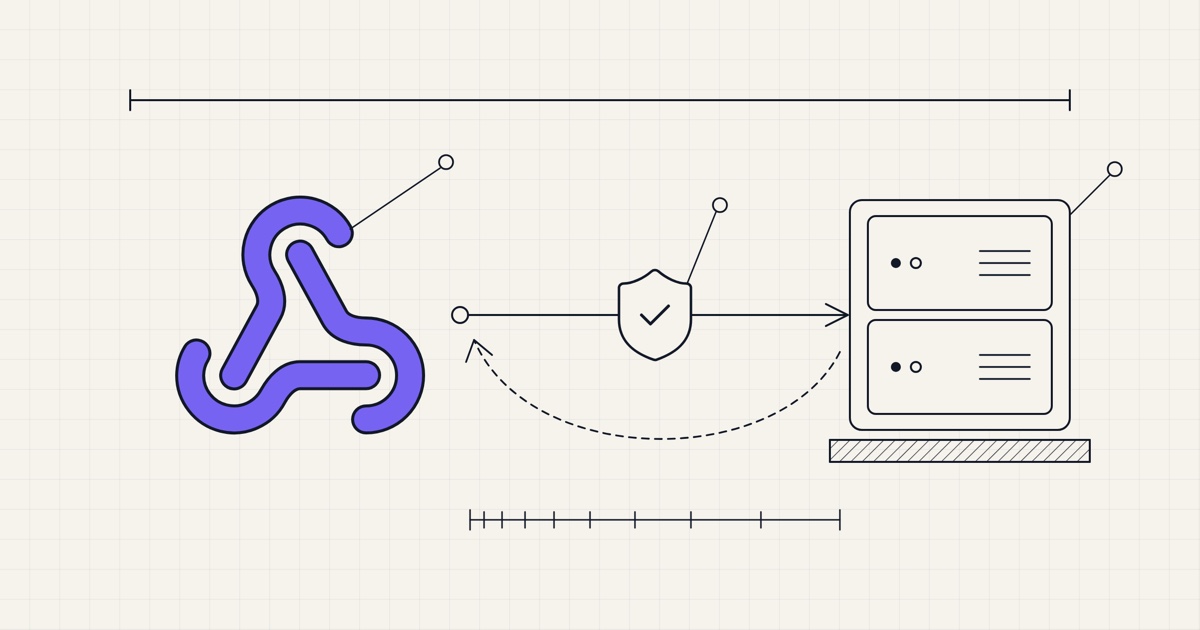
Since Notifuse 19, a workspace sends outgoing webhooks: an HTTP POST to a URL of yours each time something happens to a contact. A signup, an unsubscribe, a bounce, a click or a purchase your app recorded reaches your CRM, your Slack or your data warehouse within seconds, and no script has to poll the API for it.
Subscriptions
A subscription is a name, an endpoint URL and the events it wants. You create it in Settings → Webhooks or with webhookSubscriptions.create, and Notifuse generates its signing secret. A workspace can have several. Switch one off and it gets nothing; deliveries still waiting for it are dropped.
Events
Events come in five families, and you tick them one by one or all at once:
Contact events:
contact.created,contact.updatedandcontact.deleted. A save that changes no field sends nothing.List events:
list.subscribed,list.pending,list.confirmed(a double opt-in confirmed),list.resubscribed,list.unsubscribed,list.bounced,list.complainedandlist.removed. Each one carries the list's id and name, the new status and the previous one.Segment events:
segment.joinedandsegment.left, with the segment's id and name.Email events:
email.sent,email.delivered,email.opened,email.clicked,email.bounced,email.complainedandemail.unsubscribed, with the message id, its template, broadcast and list, and the time of the event. Opens and clicks fire on the first one of each message only.Custom events:
custom_event.created,custom_event.updatedandcustom_event.deleted, for the events your application sends through the API. A subscription can keep only some goal types (purchase, subscription, lead, signup, booking, trial, other) or some event names.
Contact events carry the whole contact, including full_name and, since Notifuse 43, the contact's choice on open and click tracking.
Lists and segments
A subscription can be limited to some lists and segments: set list_ids or segment_ids with webhookSubscriptions.create or webhookSubscriptions.update, and events for every other list or segment are never queued for it. Left empty, it hears about all of them.
Payload
Every request is a JSON POST with the same envelope:
{
  "id": "3f0c1b9e-5a7d-4c2e-9b1a-8d6e2f4a7c10",
  "type": "list.confirmed",
  "workspace_id": "acme",
  "timestamp": "2026-11-07T19:30:12Z",
  "data": {
    "email": "jane@example.com",
    "list_id": "newsletter",
    "list_name": "Newsletter",
    "status": "active",
    "previous_status": "pending"
  }
}
id stays the same across retries: store it, and skip a delivery you have already processed. timestamp is when the request left Notifuse; for email events, data.event_timestamp says when the email was opened or clicked. Contact events put the contact under data.contact, custom events put the event under data.custom_event.
Signatures
Requests are signed the Standard Webhooks way: a webhook-id header (the same id), webhook-timestamp (Unix seconds) and webhook-signature, which reads v1, followed by a base64 HMAC-SHA256 of {webhook-id}.{webhook-timestamp}.{raw body}. The secret reads whsec_ followed by the base64 of the HMAC key. Any Standard Webhooks library checks it with the secret as the console shows it, and refuses old timestamps, so a captured request can't be replayed. Notifuse 30 brought this format and gave every subscription a new secret.
Only a workspace owner can see or regenerate the secret; another member sees it once, when creating the subscription. Regenerating replaces it at once, so update your receiver in the same step.
Retries
A delivery succeeds when your endpoint answers with a 2xx status within 10 seconds. Anything else, a 4xx, a 5xx, a timeout or a refused connection, schedules a retry: after 30 seconds, then 1, 2, 5, 15 and 30 minutes, then 1, 2 and 6 hours. After the tenth attempt, about ten hours after the first, the delivery is marked failed.
Deliveries are queued in your workspace database by a PostgreSQL trigger, in the same transaction as the change that caused them, so a restart loses nothing. Each one is claimed before it is sent, so two Notifuse instances never send it twice.
Dead endpoints
When a subscription's deliveries fail 20 times in a row over more than two hours, Notifuse switches it off and records why. A receiver restarting during an import doesn't trip it, and a 429 is retried without counting. An endpoint answering 410 Gone is switched off at once. Fix the endpoint and switch the webhook back on: its failure count starts again from zero.
Private networks
Since Notifuse 42, webhooks don't reach private, loopback, link-local or reserved addresses: a URL that names such an address is refused when you save it, and every connection and redirect is checked again, so a public hostname that points to a private address is refused when Notifuse connects. If you self-host and your receiver is on your own network, such as n8n on the same Docker network, set WEBHOOK_DELIVERY_ALLOW_PRIVATE_HOSTS=true. It covers automation webhook nodes too.
Access
Webhooks have their own permission, Webhook Subscriptions, for members and API keys. Read shows subscriptions and their deliveries, payloads included; write changes and tests them, which means choosing where contact data goes, so grant it with care. Zapier builds on the same subscriptions, one per Zap you switch on, marked as Zapier's in Settings → Webhooks, as the Zapier post explains.
Console
Settings → Webhooks lists each webhook with its events, its success rate over the last 7 days and its last success. A webhook opens in a side panel with its secret and its delivered count, failed count and success rate over the last 24 hours or 7 days. One that Notifuse switched off carries an Auto-disabled tag and the reason. Send test sends a signed sample of the event you pick and shows your endpoint's answer, and View deliveries opens its deliveries.
Logs → Outgoing webhooks lists every delivery, filtered by subscription or status, and opens one in a side panel with its payload, attempts and last response. Through the API, webhookSubscriptions.deliveries takes status since Notifuse 44.
Four uses
CRM sync
Subscribe to contact.created and contact.updated, and upsert the contact in your CRM by email address. Add list.unsubscribed, and sales sees who opted out before calling.
Slack alerts
Subscribe to segment.joined with segment_ids set to your "High intent" segment, and point it at a small function that posts to a Slack channel.
Data warehouse
Subscribe to every email.* event and append each delivery to a table in your warehouse, keyed on id so a retry doesn't count twice. Opens, clicks and bounces sit next to your product and revenue data.
Order follow-up
Subscribe to custom_event.created, keep only the purchase goal type, and your fulfilment or billing system hears about each purchase your app records. You don't have to build a second integration for it.
Not yet
You can't replay a delivery. A delivery that failed its tenth attempt, or came up while its subscription was off, stays failed, so fetch what you missed from the API.
List and segment filters are set through the API. The console's webhook form keeps them but doesn't show them.
A subscription to
email.*receives the emails of every list, so your receiver has to sort them bylist_id.A Web Analytics goal reached by an identified visitor shows up as a custom event on the contact, but sends no webhook.
The delivery log only keeps seven days.
Getting started
If you self-host, upgrade to Notifuse 44.0: migrations run on startup. The upgrade corrects segment memberships, so a subscription to segment.joined or segment.left can receive a burst of events right after it. If a receiver is on your own network, set WEBHOOK_DELIVERY_ALLOW_PRIVATE_HOSTS=true first. Open Settings → Webhooks, click Add endpoint, give it a name and your endpoint URL, tick the events and save. Copy the secret into your receiver, send a test, then watch Logs → Outgoing webhooks. The webhooks documentation covers each event and the API, the custom events documentation how to send yours.