
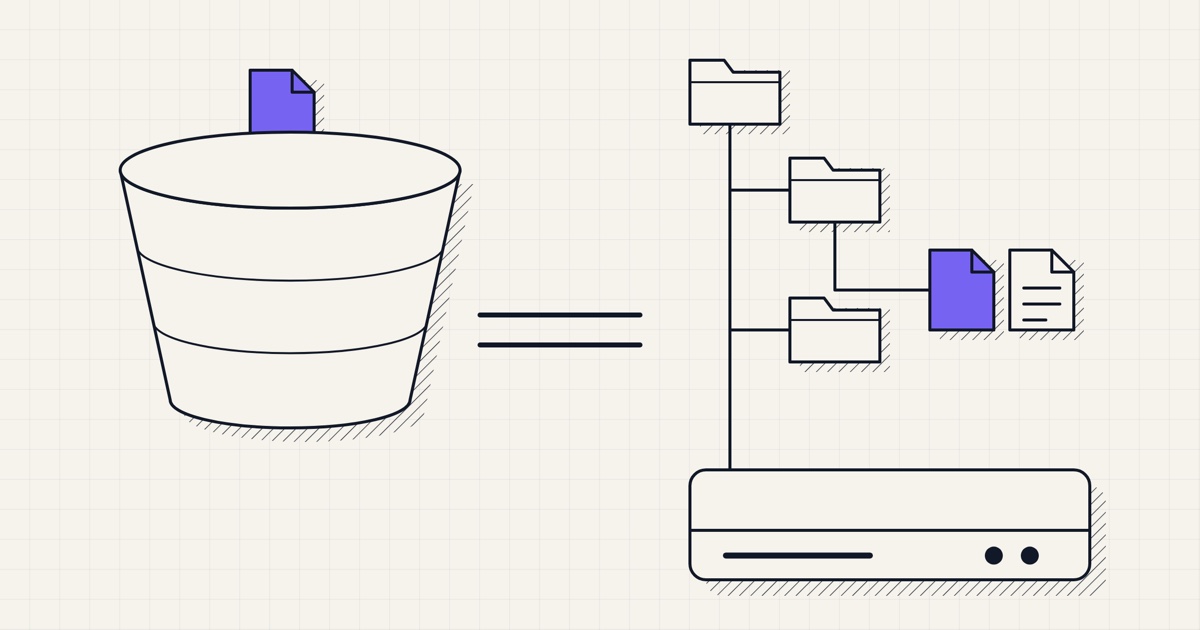
The Notifuse file manager stores the images and files of your emails in S3-compatible storage: Amazon S3, Cloudflare R2, Scaleway and the other providers in its list. When you host Notifuse yourself, you may not want a cloud account for that. The network may be offline, the machine may be a test server, or the files may have to stay on your own disks. So we wrote selfhost_s3, a small S3-compatible server that keeps files on the local disk. It's open source under the MIT licence, and version 1.4 is out today.
Why we built it
MinIO is the usual answer, but it's a storage system built for clusters, and the file manager needs five operations on one bucket: upload, download, read a file's details, delete and list.
selfhost_s3 does those five and stops there. One instance serves one bucket from one directory, and the key images/logo.png is the file images/logo.png on disk. You can back the folder up with the tools you already use, and read it without the server.
What it does
It speaks enough of the S3 API for the AWS SDKs, the AWS CLI and the Notifuse file manager, folders included, as the S3 consoles create them.
It checks AWS Signature Version 4, in the
Authorizationheader or in the query string of a presigned URL.Files under a public prefix (
public/by default) are served without a signature, with aCache-Controlheader for browsers and CDNs.Every response carries CORS headers, so a browser can talk to it directly.
It's a single static binary that uses only the Go standard library. The Docker image runs on amd64 and arm64, as an unprivileged user, with a health check.
New in 1.4
selfhost_s3 now accepts presigned URLs, as the AWS SDK presigners produce them. A browser or a script can upload or download one file without holding the secret key. The server checks the access key, the region and date the URL was signed for, and its expiry, which can be up to 7 days.
Uploads are safer too. A file is written to a temporary file and moved into place only once it's complete, so a failed or interrupted upload never destroys the previous version. The body of a signed upload is checked against the hash the client signed, so a captured request can't be resent with other content. Keys containing (, ), @, +, ! or ' no longer fail with signature mismatch, and the arm64 image now contains an arm64 binary.
Tested with the AWS SDK
Every pull request runs gofmt and golangci-lint, the unit tests with the race detector, and an integration suite. That suite builds the Docker image, starts it and drives it with the official AWS SDK for Go v2: uploads, downloads, listings, deletes, folders, public files, CORS, keys with special characters, concurrent uploads and presigned uploads.
The tests of presigned URLs sign their requests with the AWS SDK, written independently of our validator, so a mistake made on both sides can't make them pass. Each reason to refuse a request (an expired URL, a changed Content-Type, a wrong key or region) has its own test.
With Notifuse
In the file manager, open File storage settings, choose Other S3-Compatible and fill in:
S3 endpoint: the URL of selfhost_s3, such as
https://s3.example.com.S3 region: your
S3_REGION,us-east-1by default.S3 access key, S3 secret key and S3 bucket: the values you gave the server.
Path-style access: on, because selfhost_s3 reads the bucket from the path.
The console uploads files straight from the browser, so the endpoint must be reachable both from the Notifuse server and from your users' browsers. http://localhost:9000 only works while everything runs on one machine.
Put the images your emails use in the public/ folder. Your recipients' mail apps load them without a signature, while every other file stays private.
Security
Put a reverse proxy such as Caddy, nginx or Traefik in front of selfhost_s3 for TLS. A signature doesn't encrypt anything, and without TLS a captured presigned request can be resent until it expires. Use a long random secret key, and set S3_CORS_ORIGINS to your own origins. Anyone who knows the key of a file under the public prefix can read it.
What it doesn't do
There is one bucket per instance and no bucket operations. There are no multipart uploads: a file goes up in one request, up to S3_MAX_FILE_SIZE (100 MB by default). ListObjectsV2 returns every matching key in one response, and there is no batch delete, versioning, ACLs or object metadata. If you need those, use MinIO or a cloud bucket.
Getting started
docker run -d \
  --name selfhost_s3 \
  -p 9000:9000 \
  -v $(pwd)/data:/data \
  -e S3_BUCKET=my-bucket \
  -e S3_ACCESS_KEY=myaccesskey \
  -e S3_SECRET_KEY=mysecretkey \
  notifuse/selfhost_s3:latest
The image is on Docker Hub, and the code, the full configuration and the list of S3 operations are on GitHub. If a client or an SDK doesn't work with it, open an issue with the request it sends.